ぽつんと太陽系の壁紙
Lonely Solar System
iOS 14–
iPhone Air/17 Pro Max/17 Pro/17/17e/
16 Pro Max/16 Pro/16 Plus/16/16e/
15 Pro Max/15 Pro/15 Plus/15/
14 Pro Max/14 Pro/14 Plus/14/
13 Pro Max/13 Pro/13/13 mini/
12 Pro Max/12 Pro/12/12 mini/
11 Pro Max/11 Pro/11/XS Max/XS/XR/X/
⇣ For Lock Screen ⇣
SE 3/SE 2/8 Plus/8/7 Plus/7/6s Plus/6s/
SE/iPod touch 7
・▲・ iPhone=?iOS=? ・▼・
iPhone Air/17 Pro Max/17 Pro/17/17e/
16 Pro Max/16 Pro/16 Plus/16/16e/
15 Pro Max/15 Pro/15 Plus/15/
14 Pro Max/14 Pro/14 Plus/14/
13 Pro Max/13 Pro/13/13 mini/
12 Pro Max/12 Pro/12/12 mini/
11 Pro Max/11 Pro/11/XS Max/XS/XR/X/
⇣ For Lock Screen ⇣
SE 3/SE 2/8 Plus/8/7 Plus/7/6s Plus/6s/
SE/iPod touch 7
・▲・ iPhone=?iOS=? ・▼・
画面の下に太陽系が並びます。
The solar system, at the bottom.
The solar system, at the bottom.
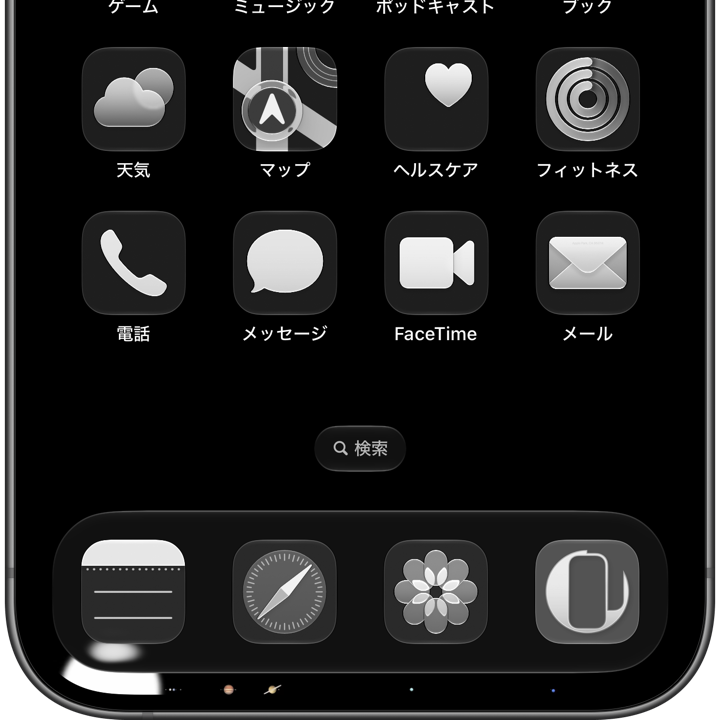
1320×3002
Universal Wallpaper
Universal Wallpaper
How to Set
・▲・
・▲・
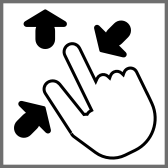
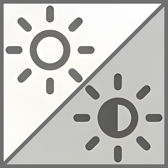
そっと少し、つまんで上げて、放す
ホーム画面:ぼかしオフ・明暗お好み
───────────────
Gently pinch up a little, then release
Home: Blur off; light/dark to taste
───────────────
⚙︎ Help ⚙︎
ホーム画面:ぼかしオフ・明暗お好み
───────────────
Gently pinch up a little, then release
Home: Blur off; light/dark to taste
───────────────
⚙︎ Help ⚙︎
・▼・
タップ → 表示 → 長押し保存
Tap → View → Hold to save
タップ → 表示 → 長押し保存
Tap → View → Hold to save

★
- そっと少しピンチイン ▶︎ 少し上に上げて ▶︎ 指を放すと、自動的に左右いっぱい下ゾロエの位置に戻ってきます。とくにiOS 27以降のApple Intelligence対応機種ではピンチインし過ぎると「拡張」がはたらくので、その手前で止めてください。「拡張」に入ってしまったらキャンセルしてやり直す必要があります。
- iOS 16以降のiPhoneでは壁紙を設定する時の表示位置がまちまちです。さらにiOS 17–26では壁紙を動かすと自動補完で上部がぼかされることがあります。これらをかいくぐって全画面表示にするため、超縦長壁紙を上にスワイプして設定する仕様にしました(iOSのバージョン、機種、絵柄の相性によってはぼかしを避けられないこともあるかもしれませんが、iOS 27で自動補完は廃止されました)。壁紙上部はカットされ、表示位置はすべての機種で下ゾロエになります。
- 画像形式をWebPにして高品質軽量化を図っています。iOS 14以降で表示できます。
- Gently pinch in a little ▶︎ lift up a little ▶︎ release your fingers, and it’ll automatically snap back to the bottom-aligned, full-width position. On iOS 27+ Apple Intelligence–compatible devices especially, pinching in too far triggers “Extend,” so stop just short of that point. If you do trigger “Extend,” you’ll need to cancel and start over.
- On iPhone running iOS 16 or later, the wallpaper’s display position varies when you set it. In addition, on iOS 17–26, moving the wallpaper can trigger Auto-Extend, which blurs the top area. To work around this and achieve a full-screen display, this wallpaper is designed as an extra-tall image that you swipe upward to set (depending on the iOS version, device model, and image composition, the blur may not always be avoidable — though Auto-Extend is removed in iOS 27). The top of the wallpaper will be cropped, and the display position will be bottom-aligned on all devices.
- The image format is WebP to make it high quality and lightweight. iOS 14 or later can display it.
広大な宇宙にぽつんと浮かぶ太陽系を、可能な限りリアルな雰囲気で表現しました。
左から太陽、水星、金星、地球(月)、火星、木星(ガニメデ、カリスト、イオ、エウロパ)、土星(タイタン)、天王星、海王星(トリトン)が並びます。
各惑星の大きさと座標はClaude(Sonnet 5)を使って計算しました。今のところどのAIも正確なグラフィックには向いていないようなので描画には使っていません。
A solar system floating alone in the vast universe, rendered to feel as real as possible.
From left to right: the Sun, Mercury, Venus, Earth (with the Moon), Mars, Jupiter (with Ganymede, Callisto, Io, Europa), Saturn (with Titan), Uranus, and Neptune (with Triton).
Every planet’s size and position was calculated using Claude (Sonnet 5). No AI seems accurate enough for actual graphics yet, so none of it was used for the drawing itself.
左から太陽、水星、金星、地球(月)、火星、木星(ガニメデ、カリスト、イオ、エウロパ)、土星(タイタン)、天王星、海王星(トリトン)が並びます。
各惑星の大きさと座標はClaude(Sonnet 5)を使って計算しました。今のところどのAIも正確なグラフィックには向いていないようなので描画には使っていません。
- まとめ: 太陽の近くにやや目立つのが金星と地球で、前後の水星と火星は小さくてだいぶ見にくいです。衛星には水星より大きなものもあるので一応大きいものだけ描いていますがほとんど見えません。木星等をこの大きさだとすると本当の距離はこれの819倍、地球を含めた木星よりも内側の惑星と衛星はこの3分の1しかないドットになります。若干デコボコに並んでいるのは軌道面の傾きに基づいています。
- サイズについて: 太陽、木星、土星、天王星、海王星は同じスケール、水星、金星、地球、火星、ガニメデ、タイタン、カリスト、イオ、月、エウロパ、トリトンはその3倍のスケールとしました。iPhoneの画面の隙間に置けるサイズで忠実な比率にすると、岩石惑星と衛星は点として描画するのも難しいほど小さくなってしまいます。
- 距離について: 木星等のサイズに対して約819分の1のスケールで、各惑星の相対的な平均距離を再現しました。ただし他の惑星が中心基準なのに対して、水星と太陽の距離は表面同士の距離となっています。このサイズとの組み合わせで中心を合わせると火星まで太陽の内側に入ってしまうためです。衛星についても同じで、惑星表面を基準に惑星間の14倍のスケールで描きました。
- 角度について: 高さ最大の木星を0度としたときに土星の環が画面下端に来る角度(本来の角度では相対的に惑星が大き過ぎて画面からはみ出してしまい、感覚的なズレも大きくなるため狭くしています)を基準として、軌道面のズレを反映しています。もしもサイズと距離と角度を木星のスケールで合わせると、バラつきの方も画面の高さには収まらないほど大きくなります。
- 省略したもの: 木星、天王星、海王星の細くて暗い輪とトリトンよりも小さな天体は省略しました。冥王星もトリトンより小さな準惑星です。実は特別に描いているのですが1ドットの暗い四角にしかならず、軌道面の傾きが大きいので高さも違い、Face ID iPhoneのコーナーのカーブに切られてしまうので誰にも見られることはないかも。
A solar system floating alone in the vast universe, rendered to feel as real as possible.
From left to right: the Sun, Mercury, Venus, Earth (with the Moon), Mars, Jupiter (with Ganymede, Callisto, Io, Europa), Saturn (with Titan), Uranus, and Neptune (with Triton).
Every planet’s size and position was calculated using Claude (Sonnet 5). No AI seems accurate enough for actual graphics yet, so none of it was used for the drawing itself.
- In short: Near the Sun, Venus and Earth stand out, while Mercury and Mars on either side of them are small and easy to miss. Some moons are actually larger than Mercury, so only the bigger ones are drawn — though you’ll barely see them. At this scale, Jupiter’s true distance would be 819 times what’s shown here, and Earth — along with everything inside Jupiter’s orbit, planets and moons alike — would shrink to a dot a third the size shown. The slightly uneven spacing reflects each orbit’s actual tilt.
- On size: The Sun, Jupiter, Saturn, Uranus, and Neptune share one scale. Mercury, Venus, Earth, Mars, and the moons (Ganymede, Titan, Callisto, Io, our Moon, Europa, Triton) are drawn 3x that scale. At a truly accurate ratio small enough to fit in the gaps of an iPhone screen, the rocky planets and moons would be too small to render even as single points.
- On distance: Each planet’s average distance from the Sun is reproduced at roughly 1/819th of Jupiter’s size scale. Unlike the other planets, which are positioned center-to-center, Mercury’s distance from the Sun is measured surface-to-surface — because at this size, centering them would place everything up to Mars inside the Sun. The same logic applies to moons: distances are measured from the planet’s surface, at 14x the interplanetary distance scale.
- On tilt: Taking Jupiter — the tallest object — as the zero-degree baseline, each orbital plane’s offset is scaled down just enough that Saturn’s rings land right at the bottom edge of the screen. (At the true angles, the planets would be too large relative to the tilt, both overflowing the screen and making the offsets feel too extreme.) If size, distance, and tilt were all rendered at Jupiter’s true scale, the vertical spread alone would be too tall to fit the screen.
- What’s left out: Jupiter’s, Uranus’s, and Neptune’s faint, thin rings are omitted, along with any body smaller than Triton. Pluto, a dwarf planet smaller than Triton, is technically drawn too — but it comes out as just a single dark pixel, and its steep orbital tilt puts it at a different height, likely right in the curve of a Face ID iPhone’s rounded corner — so no one may ever actually see it.