超やわらかコントラストの壁紙
Ultra-Soft Contrast
iOS 16–
iPhone Air/17 Pro Max/17 Pro/17/17e/
16 Pro Max/16 Pro/16 Plus/16/16e/
15 Pro Max/15 Pro/15 Plus/15/
14 Pro Max/14 Pro/14 Plus/14/
13 Pro Max/13 Pro/13/13 mini/
12 Pro Max/12 Pro/12/12 mini/
11 Pro Max/11 Pro/11/XS Max/XS/XR/X
SE 3/SE 2/8 Plus/8
-▲- iPhone=?iOS=? -▼-
iPhone Air/17 Pro Max/17 Pro/17/17e/
16 Pro Max/16 Pro/16 Plus/16/16e/
15 Pro Max/15 Pro/15 Plus/15/
14 Pro Max/14 Pro/14 Plus/14/
13 Pro Max/13 Pro/13/13 mini/
12 Pro Max/12 Pro/12/12 mini/
11 Pro Max/11 Pro/11/XS Max/XS/XR/X
SE 3/SE 2/8 Plus/8
-▲- iPhone=?iOS=? -▼-
リアル写真を超縮小して抽象化。
Photos, ultra-minimized to abstraction.
Photos, ultra-minimized to abstraction.
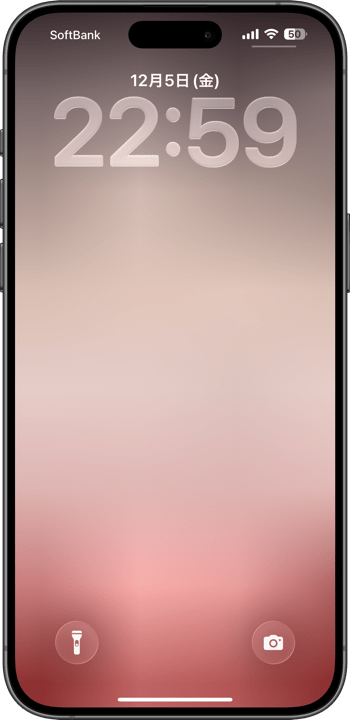
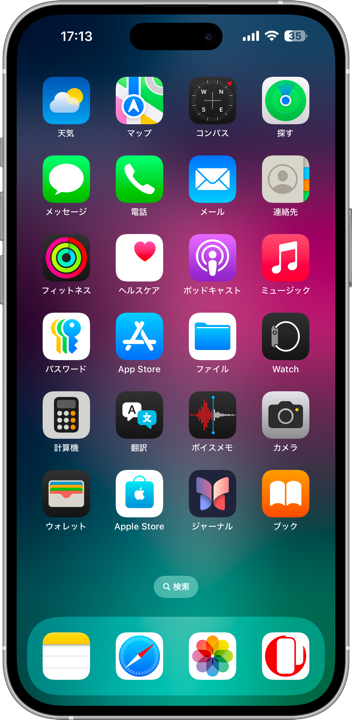
4×8
Universal Wallpaper
Universal Wallpaper
How to Set
-▲-
-▲-


設定時に動かさない
ホーム画面:明暗お好み
───────────────
Don't move it on setup
Home: light/dark to taste
───────────────
⚙︎ Help ⚙︎
ホーム画面:明暗お好み
───────────────
Don't move it on setup
Home: light/dark to taste
───────────────
⚙︎ Help ⚙︎
超マイクロサイズの画像です。
設定すると少し描写が変わります。
───────────────
These are ultra-micro images.
Rendering changes slightly when applied.
設定すると少し描写が変わります。
───────────────
These are ultra-micro images.
Rendering changes slightly when applied.
-▼-
ダイレクトに長押し保存
Hold to save directly
ダイレクトに長押し保存
Hold to save directly


★
- ピンチ操作は利きません。iOSのバージョンによっては設定中に壁紙を動かすと上部が白くまたは黒くぼかされます。元に戻すには一度他の壁紙を設定した後で再度設定し直してください。同じ壁紙のままではもう一度やっても変更なしの扱いになります。
- iOS 27以降のApple Intelligence対応機種ではピンチインし過ぎると「拡張」がはたらいてリサイズされた加工画像になります。
- 11世代より前の機種では壁紙によっては設定後に下の方の色が変わります。
- 透明度を下げるとホーム画面のぼかしが両方オンだとほとんどの壁紙は全面1色になります。
- このページでは4×8ピクセルの壁紙を、保存しやすいように160×280ピクセル相当に引き伸ばして表示しています。
- Pinch does not work. Depends on iOS version, if you move the wallpaper while setting it, the top part is blurred in white or black. To restore the original color, set another wallpaper and then set it again. If you keep the same wallpaper, it will be treated as unchanged even if you try again.
- On Apple Intelligence-compatible devices running iOS 27 or later, pinching in too far will trigger “Extend,” resulting in a resized, processed image.
- On devices older than the 11th generation, some wallpapers may change colors near the bottom after being applied.
- When both Reduce Transparency and Home Screen Blur are turned on, most wallpapers become a single solid color.
- The 4x8 pixel wallpapers on this page are stretched to the equivalent of 160x280 pixels to make them easier to save.
省ストレージ
この壁紙はストレージをほとんど消費しません。データサイズは写真アプリでⓘをタップすると見られます。
Save Storage
This wallpaper takes up almost no storage. You can check the file size by tapping the ⓘ icon in the Photos app.
この壁紙はストレージをほとんど消費しません。データサイズは写真アプリでⓘをタップすると見られます。
Save Storage
This wallpaper takes up almost no storage. You can check the file size by tapping the ⓘ icon in the Photos app.
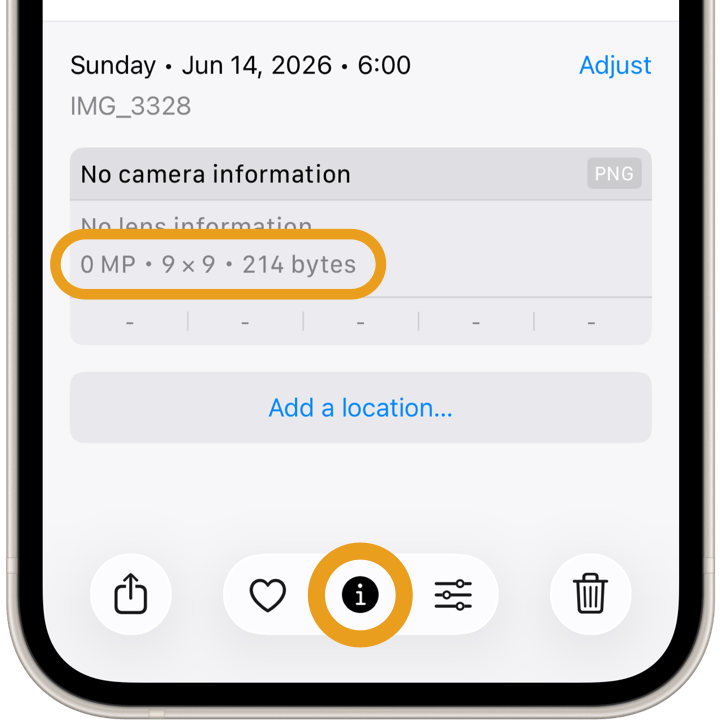
写真を4×8ピクセルに縮小してディテールを消しました。現実の色彩と陰影から作った完全な抽象です。
元になった写真の撮影者は中谷秀明。
I reduced the photo to 4×8 pixels, erasing all details, creating a purely abstract design from real-world colors and shadows.
The original photos were taken by Hideaki Nakatani.
元になった写真の撮影者は中谷秀明。
I reduced the photo to 4×8 pixels, erasing all details, creating a purely abstract design from real-world colors and shadows.
The original photos were taken by Hideaki Nakatani.