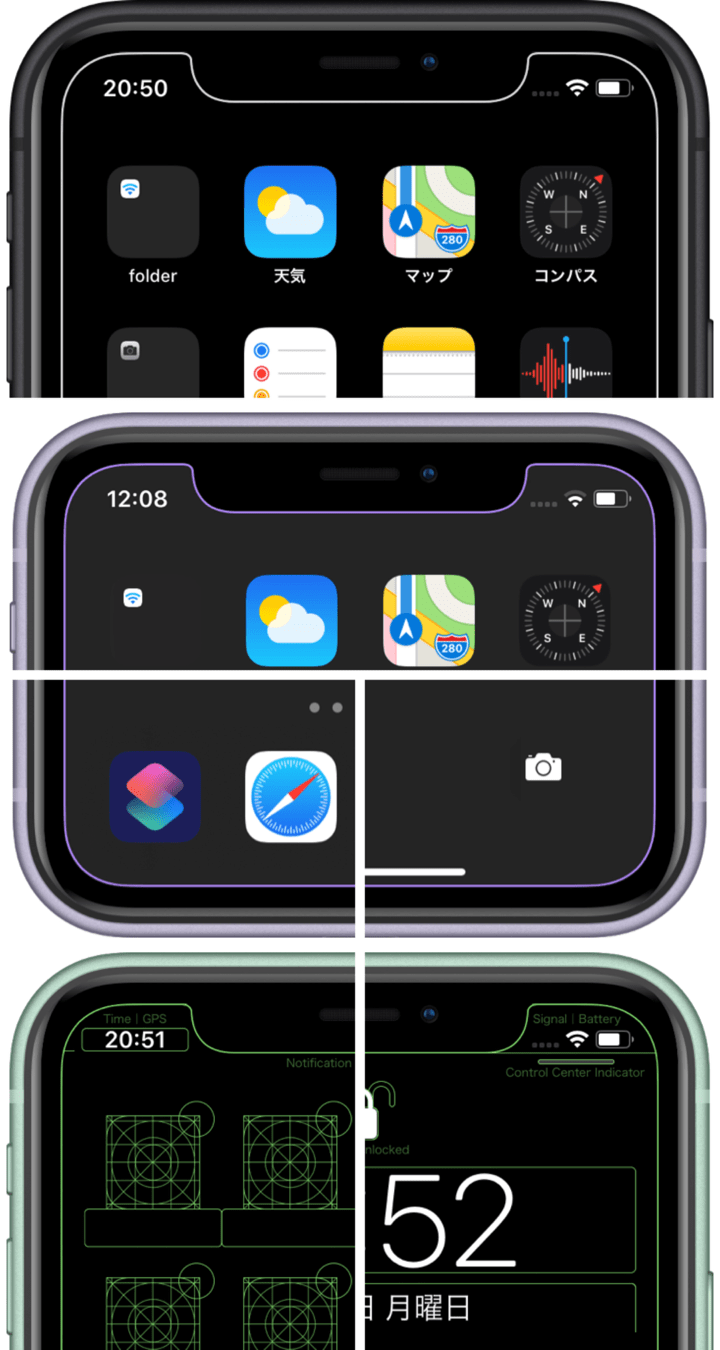
Mysterious iPhone Wallpaper
  • New
  • Notes
  • iOS
  • Help
  • About This Site
  • Privacy Policy

New

November 07th, 2019

11/7/2019

0 コメント


静かに動く
It moves quietly


iPhoneを傾けると瞬いて見えるシンプルな禅の壁紙をアップデート。iOS 13でドックを隠します。ライトモード用です。
レイアウトを修正しました。iOS 13はドックが周辺の色を拾わないのでパーツを下げても大丈夫です。
Updated the simple Zen wallpaper that will blink when you tilt your iPhone. Hide Dock on iOS 13 Light Mode.
The layout has been modified. On iOS 13, Dock doesn't pick up the surrounding colors, so it's okay to lower the parts.
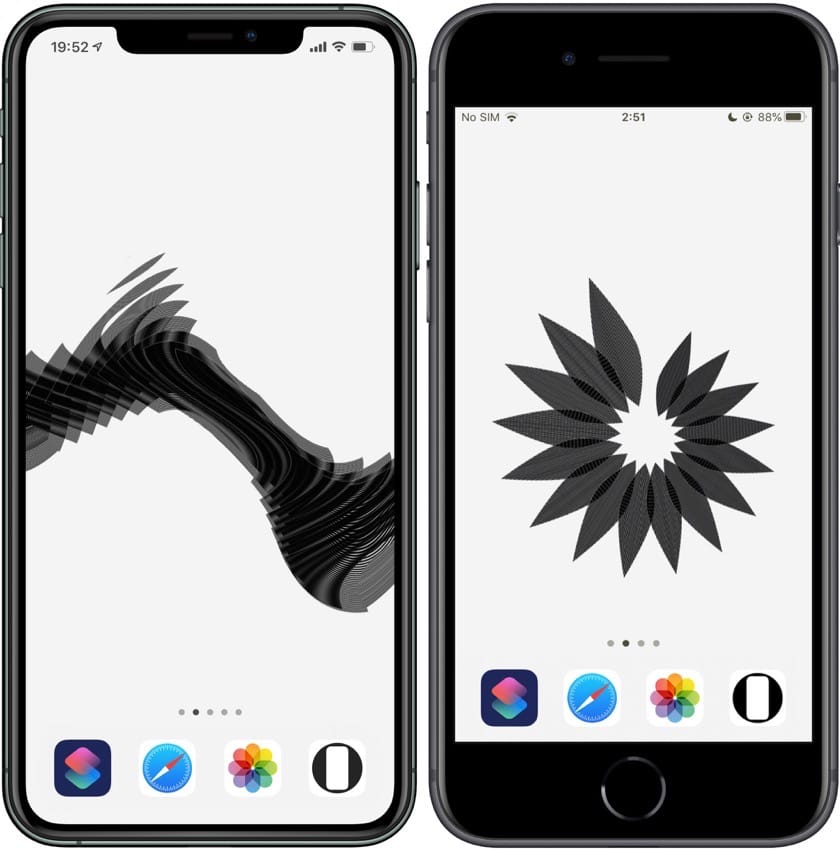
新作iOS 13用禅の壁紙
禅の壁紙 2|Zen 2
iOS 13-  10 sheets each
▶︎ iPhone 11 Pro Max/XS Max
▶︎ iPhone 11 Pro/XS/X
▶︎ iPhone 11/XR
▶︎ iPhone 8 Plus/7 Plus/6s Plus/8/7/6s/SE/iPod touch 7
動く静止画の壁紙(型落ちを除く)の各ページタイトルをiOS 13.2用の他のカテゴリーに合わせて整理しました。Maxはそのまま、XをProに、Rを無印に、Touch ID用をクラシックとしています。URLとリンクボタンには変更はありません。近い将来の混乱防止です。
ドックを隠すタイプは「ドックを隠す動く静止画」として下の方に分類しました。あと1種類更新する予定です。
Organized each page title of Static Dynamic Wallpapers (except Obsolete) to match other categories for iOS 13.2. Max is unchanged, X is Pro, R is unmarked, and Touch ID is Classic. There are no changes to the URL and link buttons. It will prevent confusion in the near future.
The type that hides Dock is classified as Hide Dock Static Dynamic Wallpapers. One more update is planned.
​​
0 コメント

November 03rd, 2019

11/3/2019

2 コメント


レースのベゼルiOS 13.2用
Lacy Bezel for iOS 13.2


Face ID iPhoneのベゼルをレースにする壁紙をiOS 13.2用にリメイクしました。
The wallpaper that makes Face ID iPhones bezel to Lace is remade for iOS 13.2.
新作iOS 13.2用レースのベゼルの壁紙
レースのベゼルの壁紙 3|Lacy Bezel 3
iOS 13.2-
 
15 sheets each
▶︎ iPhone 11 Pro Max/XS Max
▶︎ iPhone 11 Pro/XS/X
▶︎ iPhone 11/XR
背景はデニムを除いてすべてアレンジしました(初代は明る過ぎ、2代目は暗過ぎました)。
The background was all arranged except for denim (the first was too bright and the second was too dark).
iOS 13.2用レースのベゼルの壁紙カラバリ
うち3枚はドックとフォルダを隠します(ライトモード用2枚、ダークモード用1枚)。
3 of them hide Dock and folders (2 for Light Mode, 1 for Dark Mode).​
iOS 13.2用ドックを隠すレースのベゼルの壁紙
​
2 コメント

October 31st, 2019

10/31/2019

0 コメント


色んな形の鍵アイコンiOS 13.2用
Various lock icons for iOS 13.2


鍵アイコンの形を変えたように見せる壁紙です。iOS 13.2に対応させました。視差効果をオフにするのをお忘れなく。
The wallpaper that looks like the shape of the lock icon has changed. Added support for iOS 13.2. Don't forget to turn off perspective zoom.
新作iOS 13.2用色んなロックの壁紙
色んなロックの壁紙 2|Variety Lock 2
iOS 13.2-
 
12 sets each
▶︎ iPhone 11 Pro Max/XS Max
▶︎ iPhone 11 Pro/XS/X
▶︎ iPhone 11/XR
サムネイルを上半分で切り取って大きくしました。以前より選びやすくなっています。
壁紙に関してはアイコンの位置を調整しただけで何も変えてません。背景の表示範囲は変わります。
The bottom half of the thumbnails were cut out and enlarged. It is easier to choose than before.
As for the wallpaper, nothing is changed just by adjusting the position of the icon. The display range of the background changes.
​
0 コメント

October 30th, 2019

10/30/2019


もっと再始動
More Reboot


Touch ID iphoneにも問題がありました。設定時にピンチインが必要な壁紙は型落ちとします。Face ID iPhone用バージョンも全部型落ちになっていますから、それらと一緒にアップデートします。
新古典壁紙についてはアップデート版は作りません。おそらく違うコンセプトで何か作ります。
There is also a problem with the Touch ID iPhone. Wallpapers that require pinch-in when setting are obsolete. Face ID iPhone version is also all out of shape, so update with them.
We will not make an update for NeoClassic Wallpapers. Probably make something with a different concept.
追記
「視差効果を減らす」をオンにして設定すれば問題なく使うことはできます。設定後はオフにしても大丈夫です。(設定 > アクセシビリティ > 動作 > 視差効果を減らす)
Postscript
If Reduce Motion is turned on and set, it can be used without problems. You can turn it off after setting. (Settings > Accessibility > Motion > Reduce Motion)
​

October 29th, 2019

10/29/2019


再始動
Reboot


iOS 13.2型落ち壁紙
​iOS 13.2では従来のFace ID iPhone専用の壁紙はすべて使えなくなります。既にご使用の壁紙はアップデートしただけなら変化はないはずです。新たに設定することができません。
再始動です。せっかくなのでもっとかっこよくしたりiOS 13ならではの機能を加えたり色々やる予定です。
Obsolete wallpapers with iOS 13.2
On iOS 13.2, you can no longer use all the previous Face ID iPhone wallpapers on this site.  The wallpaper you are already using should not change if you just update it.  It cannot be newly set.
It’s a reboot! I'm going to do a lot of things to make it cooler, add features unique to iOS 13, and so on
新作
​ひとまずXスタイルの壁紙を縁取る壁紙に改名して公開。手始めに各機種用3シリーズ。
New Work
For the time being, X Style Wallpapers was renamed Border Wallpapers and released.  For starters, 3 series for each model.
新作縁取る壁紙
▶︎ 縁取りの壁紙|Border Wallpapers
設定方法が変わっています。視差効果をオフにするのを忘れないでください。
The setting method has been changed.  Don't forget to turn off Perspective Zoom.
これから対応作業もたくさんありますが完全新作のアイデアもあります。
There will be a lot of work to be done from now on, but I also have completely new ideas.

iOS 13.2アプデ速報も更新しました。
Updated the iOS 13.2 update report.
▶︎ アプデ速報/Update Report iOS 13.2​

October 23rd, 2019

10/23/2019

0 コメント


余白が和のモチーフを引き立てます
The space complements Japanese style motifs


「四季の壁紙」を「ドックを隠す四季の壁紙」としてリメイクしました。iOS 13のiPhoneでドックを隠します。
ライトモード用とダークモード用、各季節4枚ずつの計16枚。
I remade the Seasons of Japan as Hide Dock Seasons. they hide Dock on iOS 13 iPhones
16 sheets, 4 for each season, for Light Mode and Dark Mode.
新作ドックを隠す四季の壁紙
▶︎ ドックを隠す四季の壁紙|Hide Dock Seasons
春/Spring
新作ドックを隠す春
夏/Summer
新作ドックを隠す夏
秋/Fall
新作ドックを隠す秋
冬/Winter
新作ドックを隠す冬
サイズとレイアウトは最新のiPhoneにも対応させました。Face ID iPhoneについてはiOS 13.2ベータに合わせています。iOS 13/13.1でもそのまま使えますが、視差効果をオンにして(または一度オンにした後オフにして)設定した方が収まりがいいと思います。
The size and layout are now also compatible with the latest iPhone.  With Face ID iPhones they are compatible with iOS 13.2 beta.  You can use it on iOS 13/13.1 as it is, but it is better to set Perspective Zoom: On (or turn it On once and then Off).​
​
0 コメント

October 18th, 2019

10/18/2019

0 コメント


「日々のスクショ」を休止します
Daily Screenshot has been paused


日々のスクショを始めた直後にiOS 13.2ベータが来たわけですが、型落ちが大量に出る見込みです。スクショを撮るために頻繁に13.1に戻すわけにもいかず、そうなるとバリエーションが限られてしまいます。新作ばかり並べるのもあまり意味がありません。よく考えたらそういうのが通常運転なんですよね。
入口はビンテージカテゴリーに移動しました。
iOS 13.2 beta came right after starting Daily Screenshot.  There seems to be a lot of Obsolete.  I can't often go back to 13.1 to take screenshots.  Then variations were limited.  It doesn't make much sense to take only new works.  That's normal for this site.
The entrance has moved to Vintage Categories.
0 コメント
<<前へ
次へ>>


    Archive

    6月 2026
    5月 2026
    4月 2026
    3月 2026
    2月 2026
    1月 2026
    12月 2025
    11月 2025
    10月 2025
    9月 2025
    8月 2025
    7月 2025
    6月 2025
    5月 2025
    4月 2025
    3月 2025
    2月 2025
    1月 2025
    12月 2024
    11月 2024
    10月 2024
    9月 2024
    8月 2024
    7月 2024
    6月 2024
    5月 2024
    4月 2024
    3月 2024
    2月 2024
    1月 2024
    12月 2023
    11月 2023
    10月 2023
    9月 2023
    6月 2023
    5月 2023
    4月 2023
    3月 2023
    2月 2023
    1月 2023
    12月 2022
    11月 2022
    10月 2022
    9月 2022
    8月 2022
    7月 2022
    6月 2022
    5月 2022
    4月 2022
    3月 2022
    2月 2022
    1月 2022
    12月 2021
    11月 2021
    10月 2021
    9月 2021
    8月 2021
    7月 2021
    6月 2021
    5月 2021
    4月 2021
    3月 2021
    2月 2021
    1月 2021
    12月 2020
    11月 2020
    10月 2020
    9月 2020
    8月 2020
    7月 2020
    6月 2020
    5月 2020
    4月 2020
    3月 2020
    2月 2020
    1月 2020
    12月 2019
    11月 2019
    10月 2019
    9月 2019
    8月 2019
    7月 2019
    6月 2019
    5月 2019
    4月 2019
    3月 2019
    2月 2019
    1月 2019
    12月 2018
    11月 2018
    10月 2018
    9月 2018
    8月 2018
    7月 2018
    6月 2018
    5月 2018
    4月 2018
    3月 2018
    2月 2018
    1月 2018
    12月 2017
    11月 2017
    10月 2017
    9月 2017
    8月 2017
    7月 2017
    6月 2017
    5月 2017
    4月 2017
    3月 2017
    2月 2017
    1月 2017

    heyeasedのXへのリンク heyeasedのThreadsへのリンク heyeasedのBlueskyへのリンク new-rss-feed
   About This Site   
     
 Privacy   Policy 
​Nakatani Hideaki @heyeased
​​​​CC BY-NC-SA 4.0
​Powered by ​Weebly
トップページへのリンク link to home page

  • New
  • Notes
  • iOS
  • Help
  • About This Site
  • Privacy Policy