Mysterious iPhone Wallpaper
  • New
  • Notes
  • iOS
  • Help
  • About This Site
  • Privacy Policy

New

September 25th, 2025

9/25/2025


iOS 26変更点追記 4
​iOS 26 Changes – Update Note 4


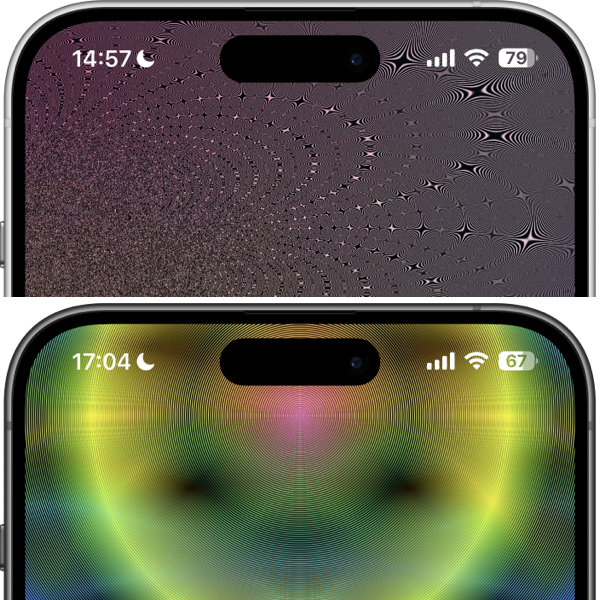
​iOS 26では常に画面オンのオプションが増えていました。スリープ中の壁紙はデフォルトでぼかされます。
ぼかしの解除方法などはこちらに ➜ 常に画面オンマップ
In iOS 26, new options have been added for Always On Display. By default, the wallpaper is blurred while the device is asleep.
For how to disable the blur and more ➜ Always On Display Map
〉iOS

September 21st, 2025

9/21/2025


点灯するカラーUI
Light-Up Color UI


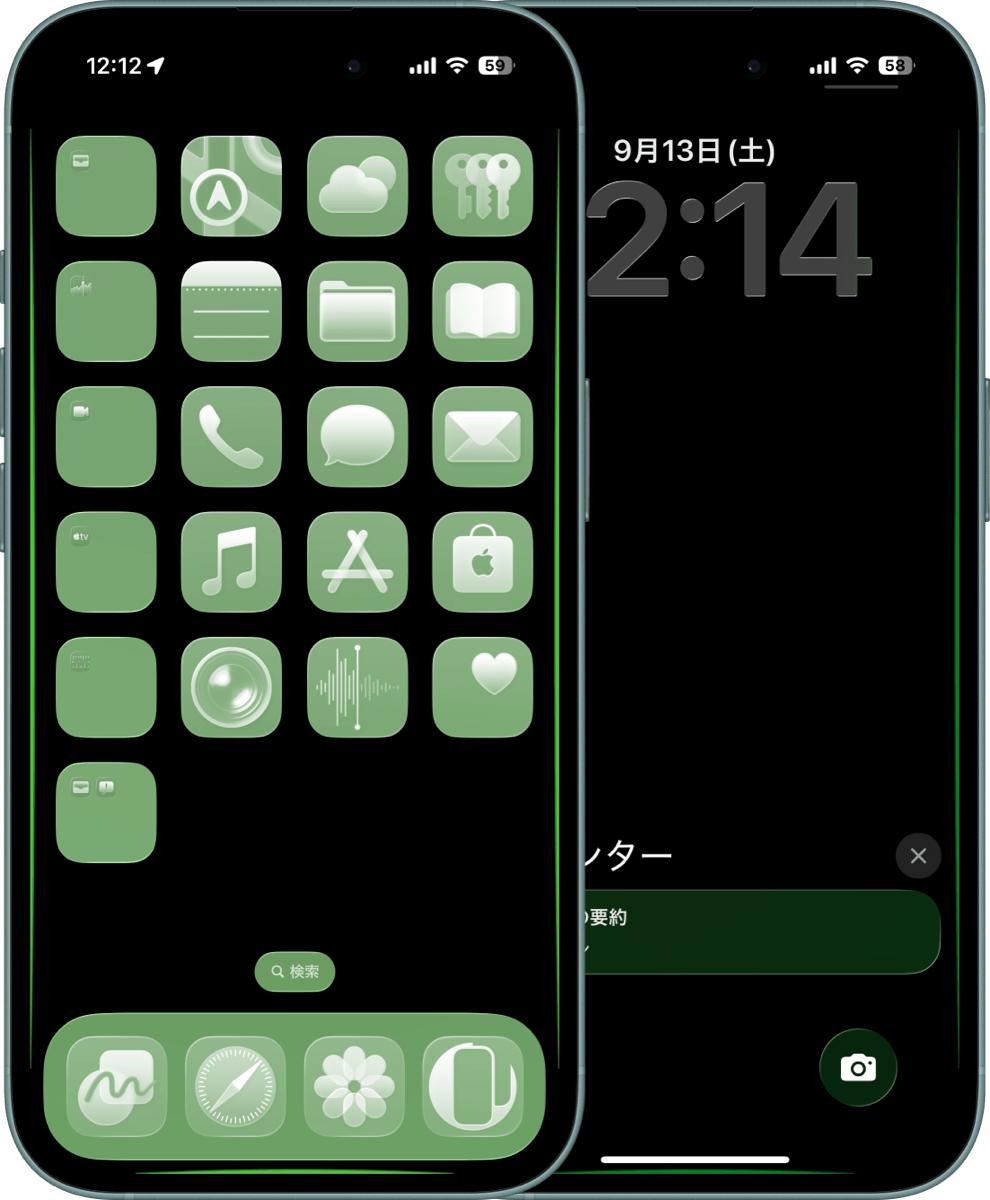
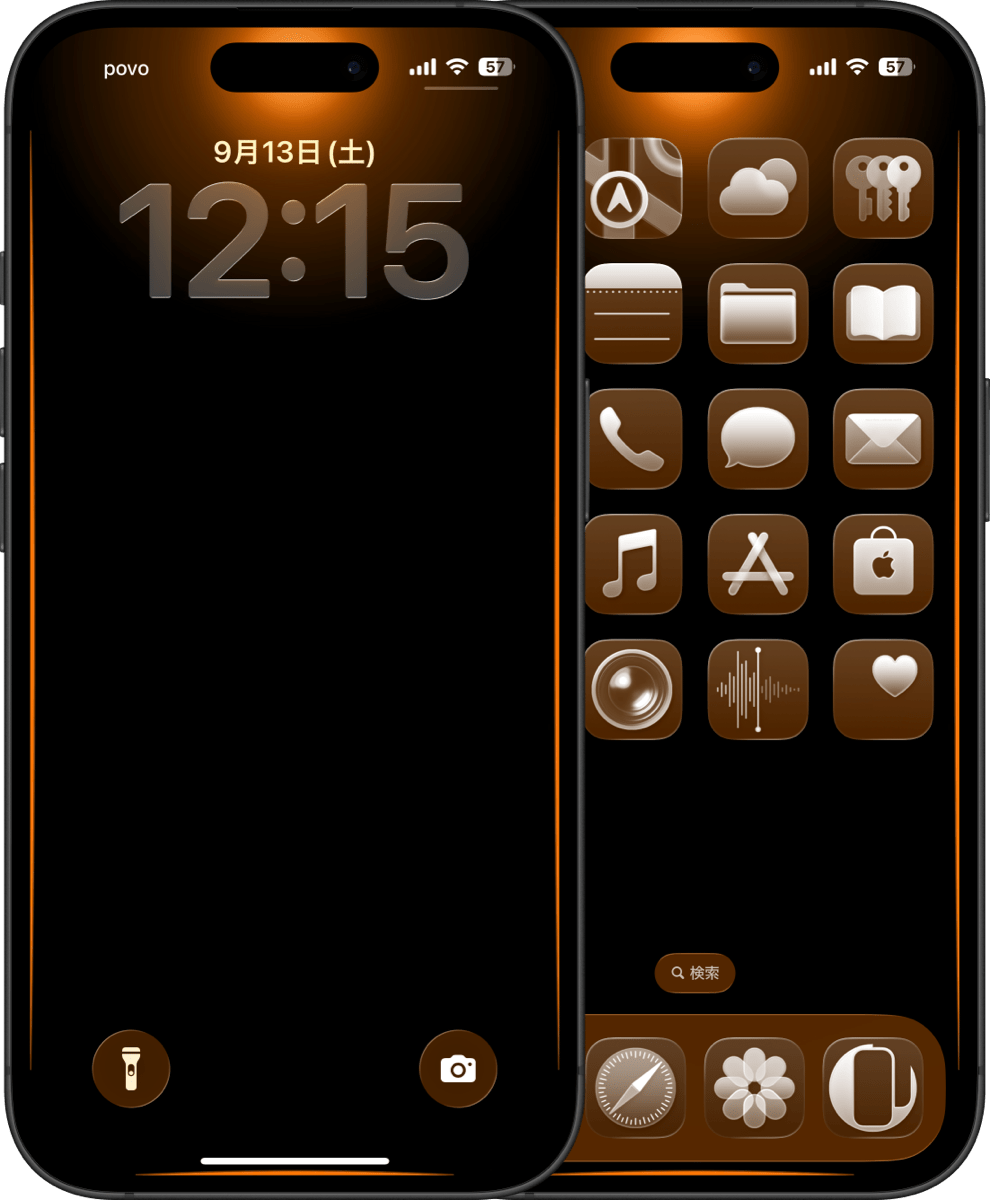
iOS 26版カラーUIの壁紙に、スリープ解除で点灯するエフェクトをプラス。
Add a lights-up-on-wake effect to the iOS 26 Color UI wallpaper.
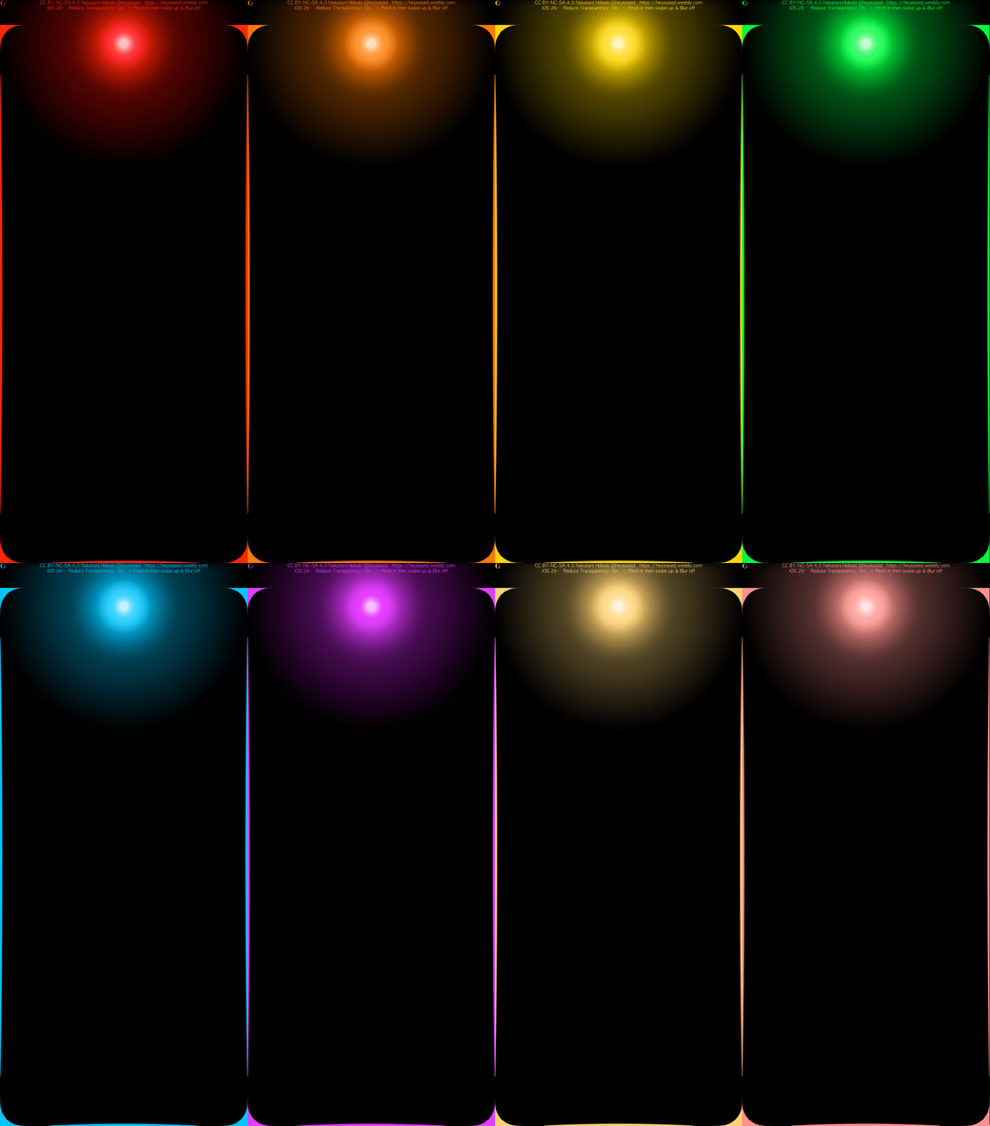
新作ライティングカラー壁紙
バリエーションは8枚。透明度を下げる設定が必要です。
There are 8 variations. You need to enable Reduce Transparency.
ライティングカラー壁紙のバリエーション ​
ライティングカラー壁紙|Lighting Color
​​​iOS 26.0
​➜ Face ID iPhone 
Air/17 Pro Max/17 Pro/17/
​16 Pro Max/16 Pro/16 Plus/16/16e/
​15 Pro Max/15 Pro/15 Plus/15/
​14 Pro Max/14 Pro/​14 Plus/14/
13 Pro Max/13 Pro/13/13 mini/
​​12 Pro Max/​12 Pro/12/12 mini/
11 Pro Max/11 Pro/11
常時点灯モデルでは常時点灯をオフにする設定をしてください。
For Always On Display models, disable Always On Display.
〉カラーUIの壁紙|Color UI Wallpapers

September 20th, 2025

9/20/2025


新カラーUI
​New Color UI


iOS 26版ドックとフォルダをカラーにする壁紙。
iOS 26: Wallpaper that colors the Dock and folders.
新作スーパーカラー壁紙
ロック画面の通知やボタンにも、またホーム画面カスタマイズでクリアを選択するとアイコンにも色がつきます。
On the Lock Screen, notifications and buttons are colored, and on the Home Screen, choosing Clear in customization also colors the icons.

​バリエーションは8枚。透明度を下げる設定が必要です。

There are 8 variations. You need to enable Reduce Transparency.
スーパーカラー壁紙のバリエーション ​
スーパーカラー壁紙|Super Color
​​​iOS 26.0
​➜ All iPhone 
Air/17 Pro Max/17 Pro/17/
​16 Pro Max/16 Pro/16 Plus/16/16e/
​15 Pro Max/15 Pro/15 Plus/15/
​14 Pro Max/14 Pro/​14 Plus/14/
13 Pro Max/13 Pro/13/13 mini/
​​12 Pro Max/​12 Pro/12/12 mini/
11 Pro Max/11 Pro/11/SE 3/SE 2​
〉カラーUIの壁紙|Color UI Wallpapers

September 18th, 2025

9/18/2025


ニンジャドック
Ninja Dock


iOS 26版ドックを半ば隠す壁紙3タイプ。今回白はありません…
iOS 26 wallpapers in three types that half-hide the Dock. This time, no white is available…
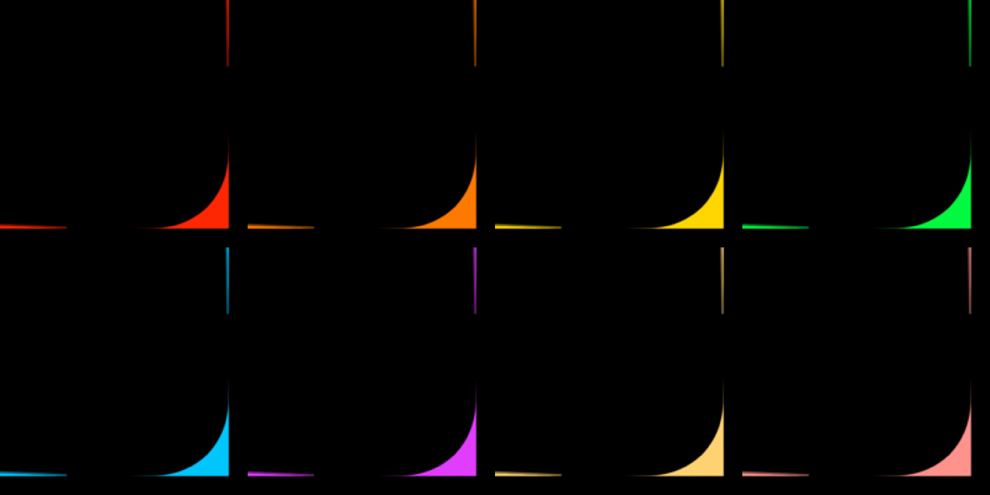
新作ニンジャドック壁紙
iPhone14以降では傾きでドックが見え隠れ、13以前ではドックの一部を隠します。SEはスリープ解除とアプリを閉じた時に見えなくなり、傾けると見えます。
​On iPhone 14 and later, the Dock appears and disappears with tilt. On iPhone 13 and earlier, part of the Dock is hidden. On iPhone SE, it disappears when waking or closing an app, and reappears when tilted.
​
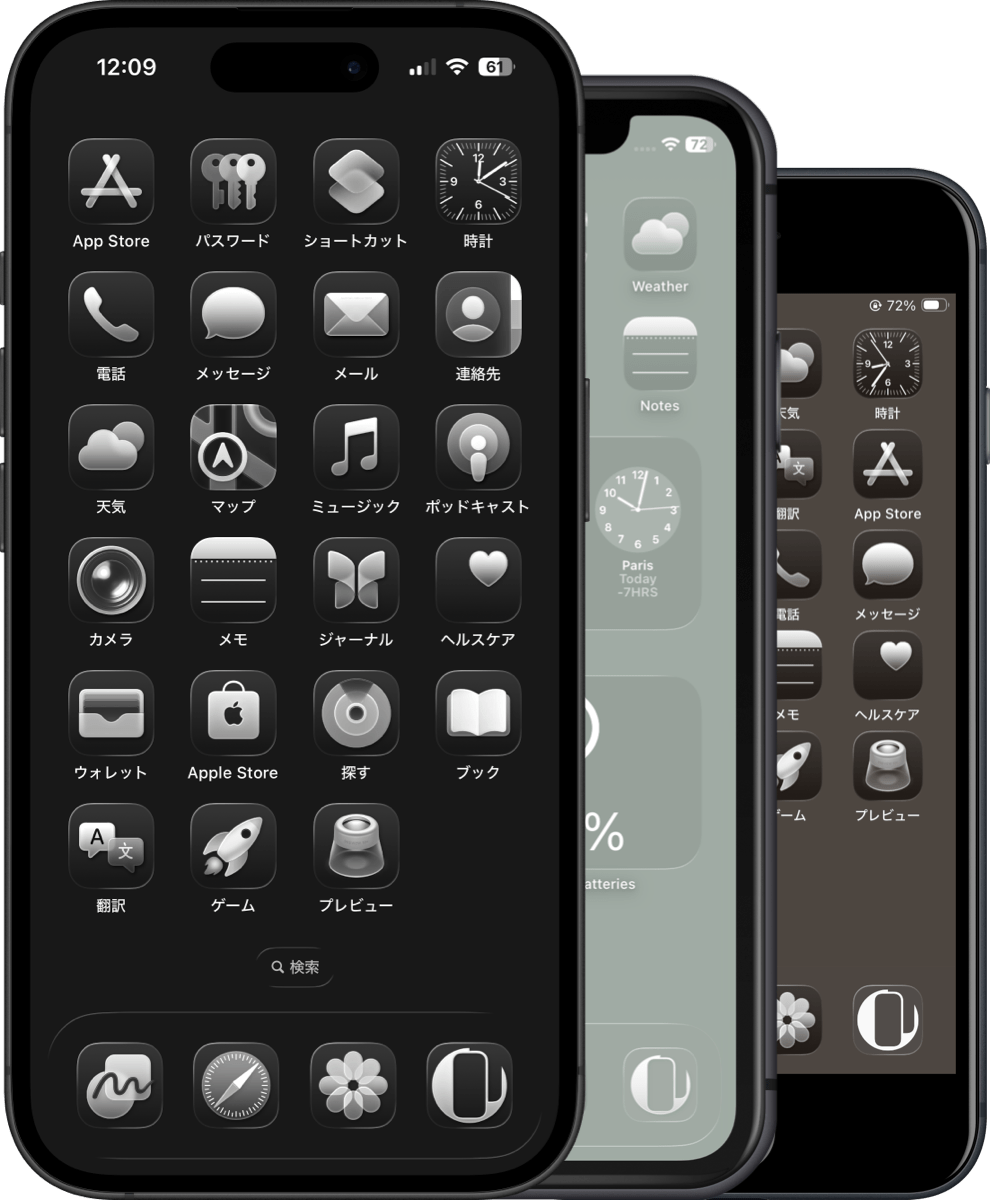
透明度を下げる+ダークモード用のブラック。これだけはiPadでも使えました。

Black for Dark Mode + Reduce Transparency. This one also worked on iPad.
ブラックニンジャドック壁紙|Black Ninja Dock
iOS/iPadOS 26–​26.1

​​➜ All iPhone/iPad 
Air/17 Pro Max/17 Pro/17/
​16 Pro Max/16 Pro/16 Plus/16/16e/
​15 Pro Max/15 Pro/15 Plus/15/
​14 Pro Max/14 Pro/​14 Plus/14/
13 Pro Max/13 Pro/13/13 mini/
​​12 Pro Max/​12 Pro/12/12 mini/
11 Pro Max/11 Pro/11/SE 3/SE 2/
​iPad

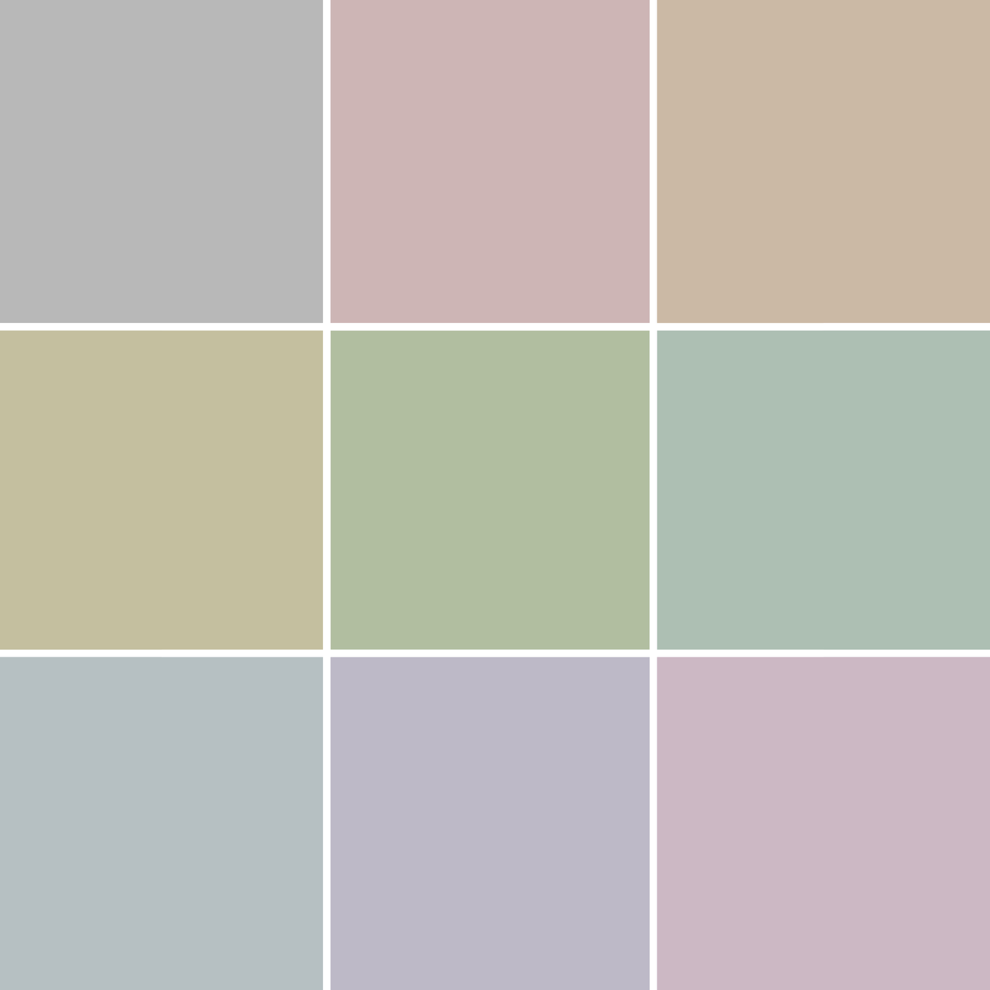
​ライトモード用ニュアンスカラー9色。
Nine nuance colors for Light Mode.
ライトニンジャドック壁紙のバリエーション ​
ライトニンジャドック壁紙|Light Ninja Dock
​​​iOS 26–
​➜ OLED iPhone 
Air/17 Pro Max/17 Pro/17/
​16 Pro Max/16 Pro/16 Plus/16/16e/
​15 Pro Max/15 Pro/15 Plus/15/
​14 Pro Max/14 Pro/​14 Plus/14/
13 Pro Max/13 Pro/13/13 mini/
​​12 Pro Max/​12 Pro/12/12 mini/
11 Pro Max/11 Pro
​➜ LCD iPhone 
​11/SE 3/SE 2
✍︎
有機EL (OLED) iPhoneのスクリーンショットではドックの色が実機と違います。
On OLED iPhones, Dock colors in screenshots don’t match the actual device.

​
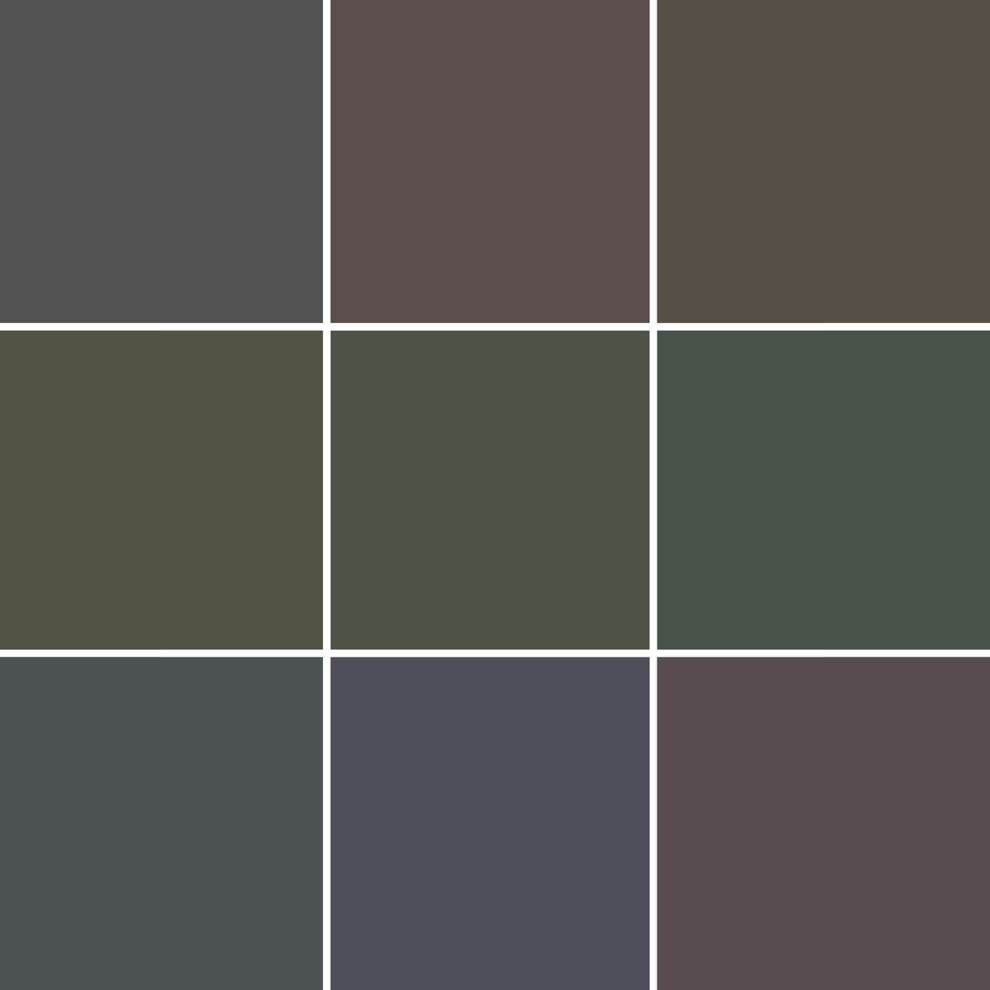
ダークモード用ダークカラー9色。
Nine dark colors for Dark Mode.
ダークニンジャドック壁紙のバリエーション ​
ダークニンジャドック壁紙|Dark Ninja Dock
​​​iOS 26–
​➜ OLED iPhone 
Air/17 Pro Max/17 Pro/17/
​16 Pro Max/16 Pro/16 Plus/16/16e/
​15 Pro Max/15 Pro/15 Plus/15/
​14 Pro Max/14 Pro/​14 Plus/14/
13 Pro Max/13 Pro/13/13 mini/
​​12 Pro Max/​12 Pro/12/12 mini/
11 Pro Max/11 Pro
​➜ LCD iPhone 
​11/SE 3/SE 2
✍︎
有機EL (OLED) iPhoneのスクリーンショットではドックの色が実機と違います。
On OLED iPhones, Dock colors in screenshots don’t match the actual device.

​
黒以外は有機ELモデルと液晶モデルで色が少し違うので別の壁紙になります。iPadのスクリーンタイプによる違いまでは確認できていないので黒しか作っていません。Macでは黒も違いました。
13以前と14以降で挙動が違うのはリキッドグラスの傾き検知エフェクトの有無です。古いモデルでは能力に応じて視覚効果が省略されているのがわかります。
概要としては、iOS 18よりもドックの明暗が逆転する範囲が狭くなっています。ドックと背景が白や黒から遠い色で同じになるようになりました(透明度を下げない場合)。つまり、以前より色の自由度は高くなっています。
透明度を下げてもライトモードではドックは明るいグレー(ライトニンジャのグレーとほぼ同じでやや暗い)が限度なので今回白は作れませんでした。
Colors other than black differ slightly between OLED and LCD models, so they require separate wallpapers. I haven’t checked differences by iPad screen type, so I only made black. On Mac, even black looked different.
The difference in behavior between iPhone 13 and earlier vs. 14 and later comes from the presence of the Liquid Glass tilt-detection effect. On older models, visual effects are skipped depending on the capability.
In summary, compared to iOS 18, the range where the Dock inverts its brightness has become narrower. The Dock and background now match in colors farther from pure white or black (when Reduce Transparency is off). In other words, there is now greater freedom in color than before.
​Even with Reduce Transparency enabled, in Light Mode the Dock is limited to a light gray (almost the same as Light Ninja Gray, but slightly darker), so I couldn’t make white this time.
〉ドックを隠す壁紙|Hide Dock Wallpapers

September 17th, 2025

9/17/2025


iOS 26変更点追記 3
​iOS 26 Changes – Update Note 3


ロック解除の壁紙の見え方が変わっていました。
The way wallpapers appear when unlocking the screen has changed.
' + '\x3C/script>' + '' + '' + ''; setTimeout(function() { var videoIframe273097686863277138Actual = document.getElementById("video-iframe-273097686863277138").contentDocument; videoIframe273097686863277138Actual.open().write(videoIframe273097686863277138Content); videoIframe273097686863277138Actual.close(); }, 500);

開くまではロック画面の壁紙のまま、開いたら突然ホーム画面の壁紙に変わります。私は作っていませんでしたが、ロック画面とホーム画面を少しだけ変えて緩やかな変化を楽しむ壁紙は潰されています。
Until you unlock, the Lock Screen wallpaper stays. Once unlocked, it suddenly switches to the Home Screen wallpaper. Wallpapers designed to show a gentle transition by making the two slightly different no longer work. I didn’t make those, though.
〉iOS

September 16th-3, 2025

9/16/2025


壁紙の位置がズレたら
When Wallpaper Position Shifts


戻ると波打つ壁紙スクショ
ベータの途中で修正されていたはずの?バグが復活? このように壁紙がズレた場合は、一度他の壁紙を設定してから、元の壁紙に戻してください。そのまま上にスワイプしても必ず上部がぼかされます。
A bug thought to be fixed in earlier betas? is back?
If the wallpaper shifts like this, set a different wallpaper once, then switch back to the original. Swiping up as is will always blur the top.
〉iOS

September 16th-2, 2025

9/16/2025


戻ると波打つ壁紙も使えなくなっていました
Back & Wave Wallpapers Also Stopped Working


ベータのどのバージョンかで背景のズーム効果が廃止されていました。戻ると波打つ壁紙はレガシーカテゴリーに移動です。
In some beta versions, the background zoom effect was removed. Back & Wave Wallpapers have been moved to the Legacy category.
戻ると波打つ壁紙スクショ
〉旧壁紙|Old Wallpapers

<<前へ


    Archive

    3月 2026
    2月 2026
    1月 2026
    12月 2025
    11月 2025
    10月 2025
    9月 2025
    8月 2025
    7月 2025
    6月 2025
    5月 2025
    4月 2025
    3月 2025
    2月 2025
    1月 2025
    12月 2024
    11月 2024
    10月 2024
    9月 2024
    8月 2024
    7月 2024
    6月 2024
    5月 2024
    4月 2024
    3月 2024
    2月 2024
    1月 2024
    12月 2023
    11月 2023
    10月 2023
    9月 2023
    6月 2023
    5月 2023
    4月 2023
    3月 2023
    2月 2023
    1月 2023
    12月 2022
    11月 2022
    10月 2022
    9月 2022
    8月 2022
    7月 2022
    6月 2022
    5月 2022
    4月 2022
    3月 2022
    2月 2022
    1月 2022
    12月 2021
    11月 2021
    10月 2021
    9月 2021
    8月 2021
    7月 2021
    6月 2021
    5月 2021
    4月 2021
    3月 2021
    2月 2021
    1月 2021
    12月 2020
    11月 2020
    10月 2020
    9月 2020
    8月 2020
    7月 2020
    6月 2020
    5月 2020
    4月 2020
    3月 2020
    2月 2020
    1月 2020
    12月 2019
    11月 2019
    10月 2019
    9月 2019
    8月 2019
    7月 2019
    6月 2019
    5月 2019
    4月 2019
    3月 2019
    2月 2019
    1月 2019
    12月 2018
    11月 2018
    10月 2018
    9月 2018
    8月 2018
    7月 2018
    6月 2018
    5月 2018
    4月 2018
    3月 2018
    2月 2018
    1月 2018
    12月 2017
    11月 2017
    10月 2017
    9月 2017
    8月 2017
    7月 2017
    6月 2017
    5月 2017
    4月 2017
    3月 2017
    2月 2017
    1月 2017

    heyeasedのXへのリンク heyeasedのThreadsへのリンク heyeasedのBlueskyへのリンク new-rss-feed
   About This Site   
     
 Privacy   Policy 
​Nakatani Hideaki @heyeased
​​​​CC BY-NC-SA 4.0
​Powered by ​Weebly
トップページへのリンク link to home page

  • New
  • Notes
  • iOS
  • Help
  • About This Site
  • Privacy Policy