iOS 26用ドックを隠す壁紙のご使用中にiOS 26.1にアップデートされた方へ
For those who updated to iOS 26.1 while using Hide Dock Wallpapers for iOS 26
➜ English
ドックの色がシステムのライト-ダークモードだけではなく、ホーム画面カスタマイズとの組み合わせでも変わるようになっています。3タイプそれぞれに変更が必要な項目をピックアップしました。
ブラックニンジャシリーズをお使いの方
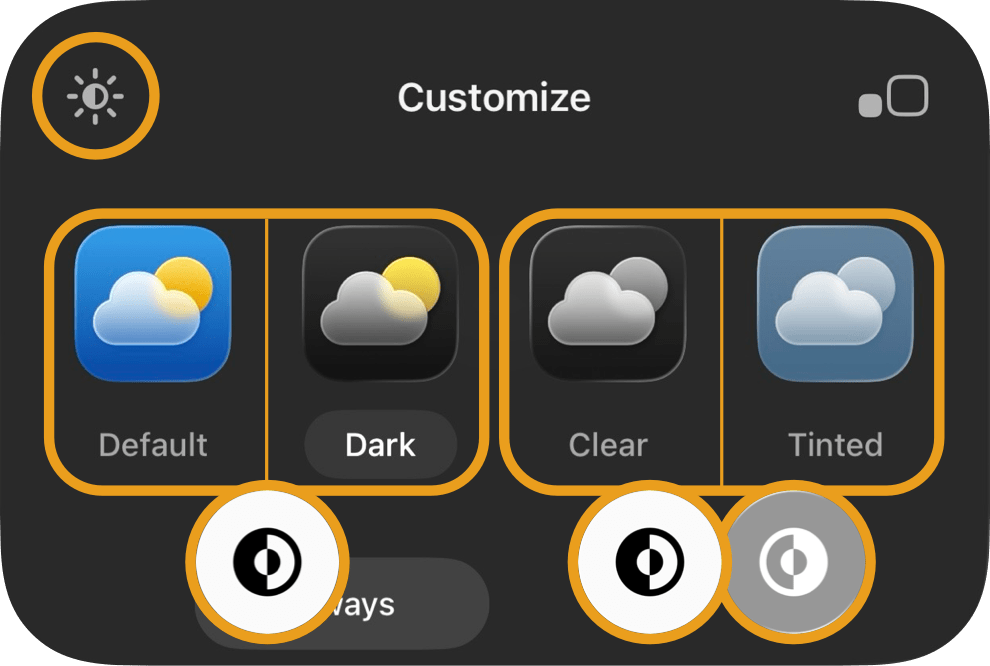
iOS 26.1では背景を暗くしてください。ドックが少し暗くなってそれで合うようになっています。
ホーム画面カスタマイズがクリアか色合い調整のときはライトモードでも使えるようになりました。
ホーム画面カスタマイズがクリアか色合い調整のときはライトモードでも使えるようになりました。
ライトニンジャシリーズをお使いの方
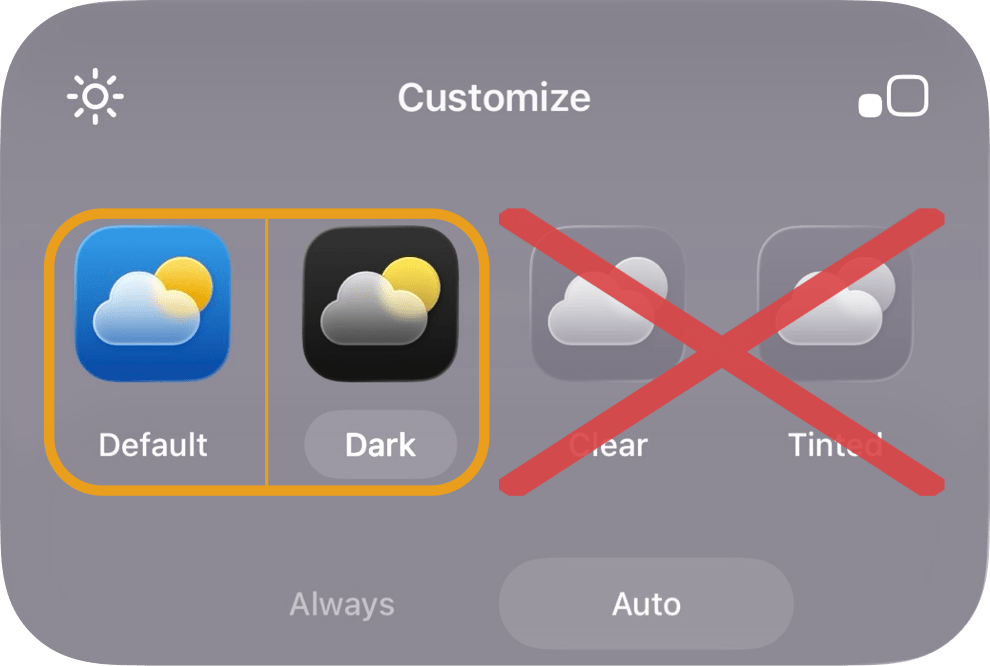
ホーム画面カスタマイズのクリアと色合い調整はライトモードにしても使えなくなりました。デフォルトかダークでお使いください。
ダークニンジャシリーズをお使いの方
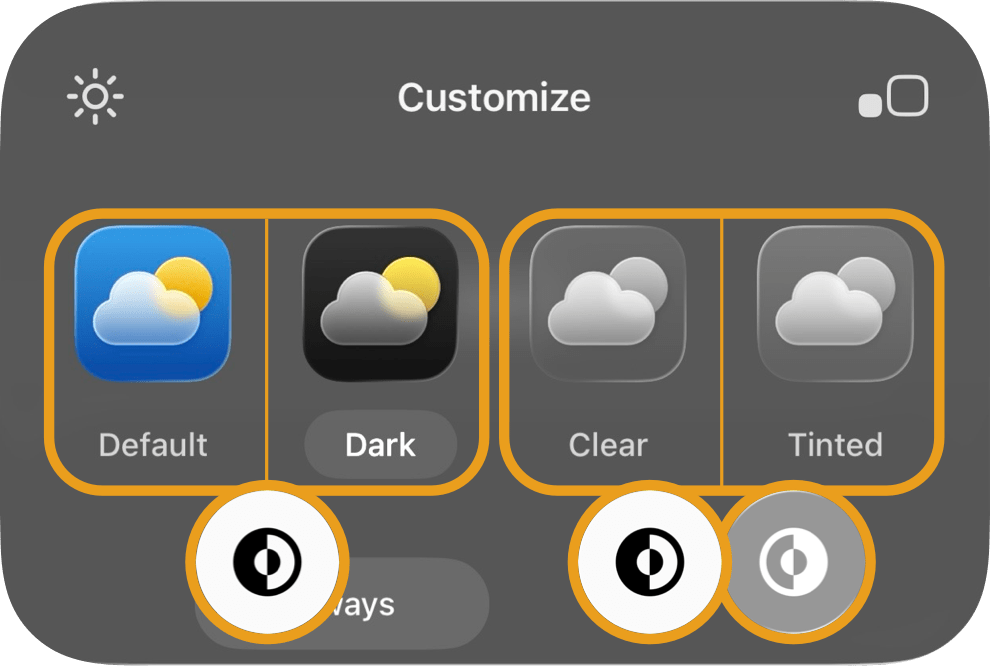
ホーム画面カスタマイズがクリアか色合い調整のときはライトモードでも使えるようになりました。
The color of the Dock now changes not only with the system Light and Dark Modes, but also depending on the combination with Home Screen customization settings.
Below are the items that need adjustment for each of the three types.
Below are the items that need adjustment for each of the three types.
For users of the Black Ninja series
In iOS 26.1, please make the background darker. The Dock is now slightly darker to match.
It can now also be used in Light Mode when Home Screen customization is set to Clear or Tinted.
It can now also be used in Light Mode when Home Screen customization is set to Clear or Tinted.
For users of the Light Ninja series
The Clear and Tinted settings under Home Screen customization no longer work even in Light Mode.
Please use Default or Dark.
Please use Default or Dark.
For users of the Dark Ninja series
When Home Screen customization is set to Clear or Tinted, it can now also be used in Light Mode.