iOS 26に壁紙の保存ができなくなる新機能
New iOS 26 Feature That Disables Wallpaper Saving
➜ English
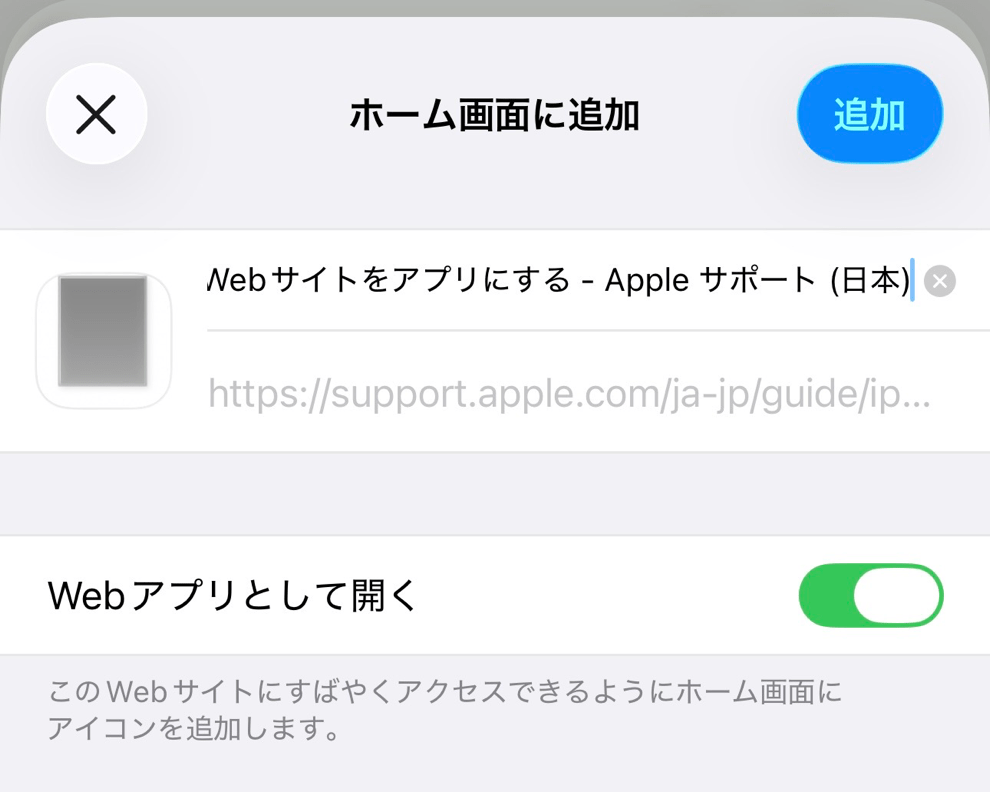
iOS 26ではWebサイトをWebアプリとしてホーム画面に追加できるようになりました。
というか、ホーム画面に追加するとデフォルトではWebアプリになります。今までどおりブックマーク代わりにするならトグルをオフにしないといけません。
ところがこのWebアプリには落とし穴がありました。ブラウザなら当たり前にできる画像保存機能がない(バグでした)のです。そこから他のサイトに行ってもできません。その仮装アプリから出るわけではないからです。
というわけで壁紙の取得はSafariなどのブラウザでお願いします。
というか、ホーム画面に追加するとデフォルトではWebアプリになります。今までどおりブックマーク代わりにするならトグルをオフにしないといけません。
ところがこのWebアプリには落とし穴がありました。ブラウザなら当たり前にできる画像保存機能がない(バグでした)のです。そこから他のサイトに行ってもできません。その仮装アプリから出るわけではないからです。
というわけで壁紙の取得はSafariなどのブラウザでお願いします。
In iOS 26, websites can now be added to the Home Screen as web apps.
In fact, when you add one, it becomes a web app by default.
If you want to use it as a simple bookmark like before, you’ll need to turn off the toggle.
However, there’s a catch. Web apps don’t allow image saving (It was a bug.)—a function that’s completely normal in a browser.
Even if you navigate to another site from within the web app, you still can’t save images, since you never actually leave that virtual app environment.
So please use Safari or another browser to download wallpapers.
In fact, when you add one, it becomes a web app by default.
If you want to use it as a simple bookmark like before, you’ll need to turn off the toggle.
However, there’s a catch. Web apps don’t allow image saving (It was a bug.)—a function that’s completely normal in a browser.
Even if you navigate to another site from within the web app, you still can’t save images, since you never actually leave that virtual app environment.
So please use Safari or another browser to download wallpapers.


