➜ English
時計の透明度調節
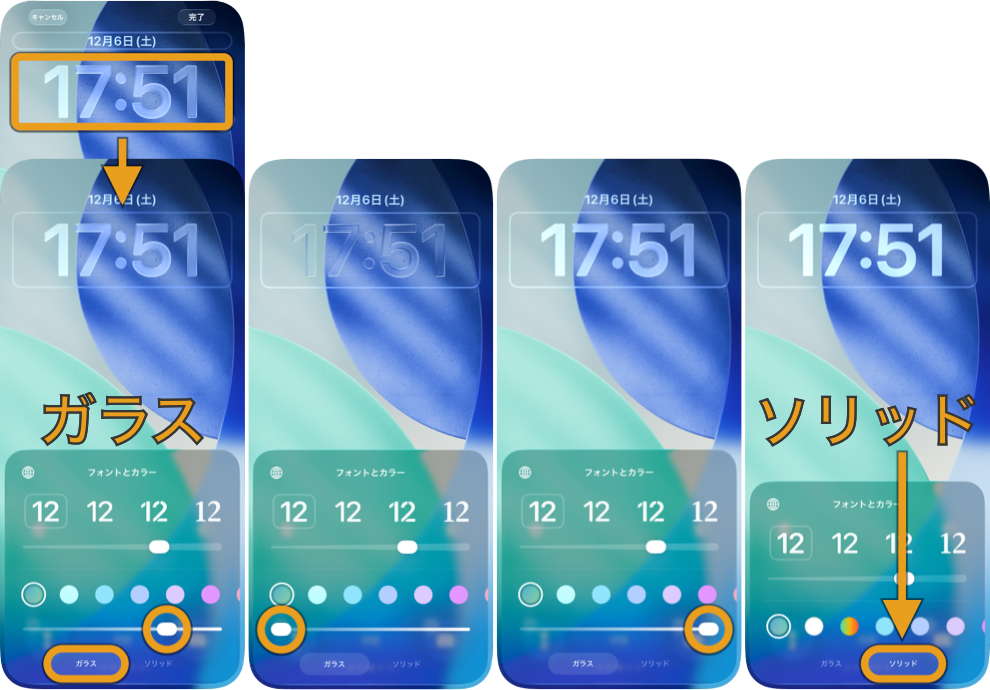
ソリッドからガラスに戻すと透明度は初期状態になります。
透明度を下げるの変更
透明度を下げるをオンにした時のドックの色が変わりました。その周辺の色をうっすら拾うようになっています。これはこれで、逆に透明ですよねえ。
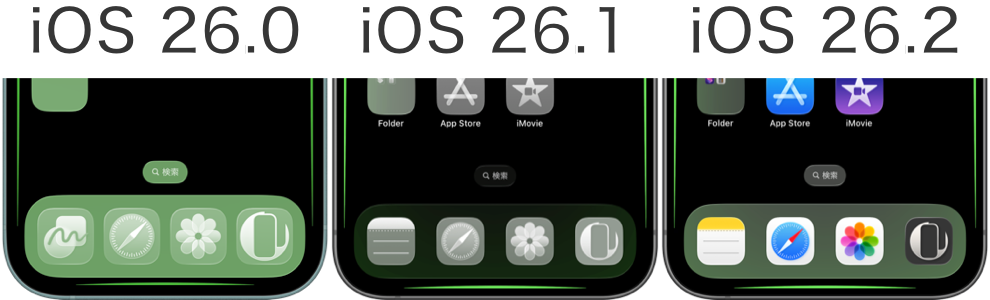
バージョンごとにドックは暗くなっています。ドックを隠す黒い壁紙にはアップデートバージョンがあります。
追記:
リキッドグラスの調整と「透明度を下げる」「コントラストを上げる」の併用ができなくなりました。
Clock Opacity Adjustment
An option to adjust the Lock Screen clock’s opacity is now available.
In the Lock Screen customization view, tap the clock and choose Glass or Solid. Glass allows continuous, fine-grained adjustment.
In the Lock Screen customization view, tap the clock and choose Glass or Solid. Glass allows continuous, fine-grained adjustment.
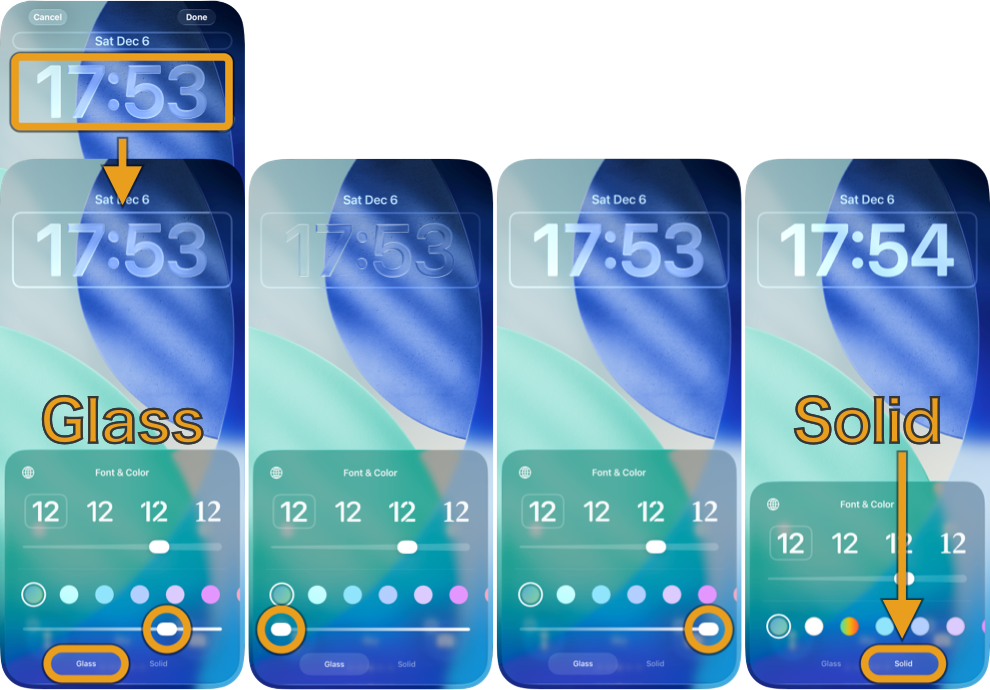
Switching from Solid back to Glass resets the opacity to its default level.
Changes in Reduce Transparency
When you turn on Reduce Transparency, the Dock color has changed. It now picks up a faint tint from the surrounding area. In a way, that makes it feel even more transparent, doesn’t it?
The Dock has been darkened with each version. If you’re using a black wallpaper to hide the Dock, there’s an updated version available.
Update:
Liquid Glass adjustments can no longer be used together with Reduce Transparency or Increase Contrast.


