➜ English
iOS 26.3ではドックが暗くなる条件に変更があります。基本的にデフォルトとライトモードの組み合わせ以外では暗くなります。
ただし、ホーム画面カスタマイズでダークを選択しても自動・ライトモードの組み合わせでは、ダークが無効になってデフォルトと完全に同じ見た目になります。
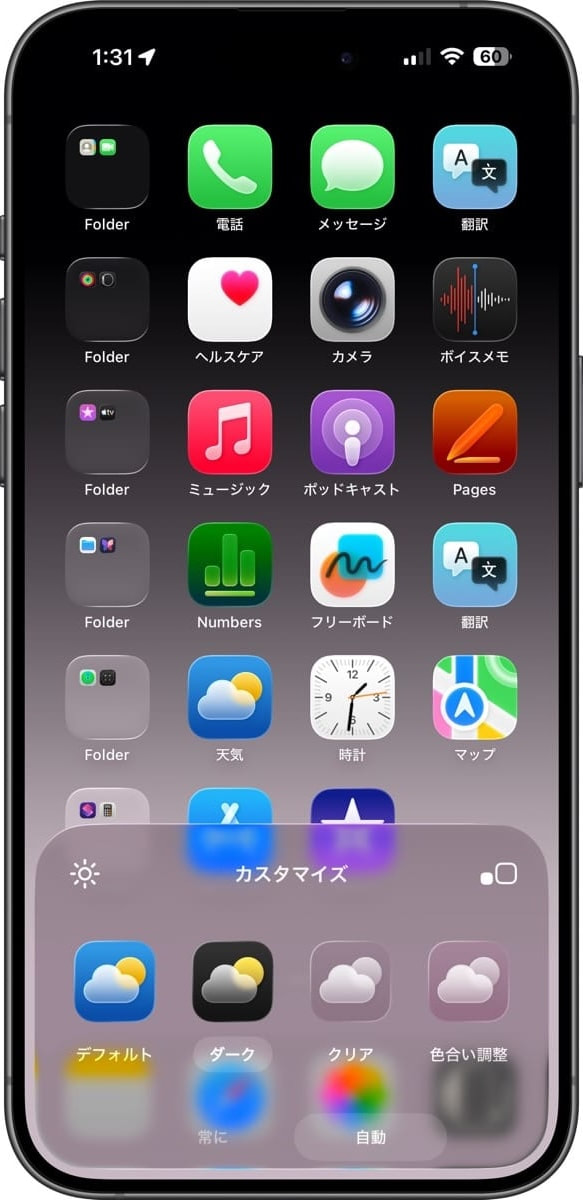
これはiOS 26.0ベータ1に近い挙動です。ややこしさが増していますが、少しずつ整理しようとしているような気はします。ここまで複雑化したUIを分かりやすく作り直すのは考えただけで途方に暮れてしまいます。
また、SEではドックのリキッドグラス効果が固定されました。この世代で少し動いていた方が無理がかかっていたのでしょう。
ドックを隠す壁紙の設定変更についてはNotesに。
また、SEではドックのリキッドグラス効果が固定されました。この世代で少し動いていた方が無理がかかっていたのでしょう。
ドックを隠す壁紙の設定変更についてはNotesに。
iOS 26.3 introduces changes to the conditions under which the Dock darkens. Basically, it darkens in all combinations except for the Default and Light Mode pairing.
However, even if you select Dark in Home Screen customization, when combined with Auto and Light Mode, Dark becomes disabled and the appearance becomes completely identical to the Default.
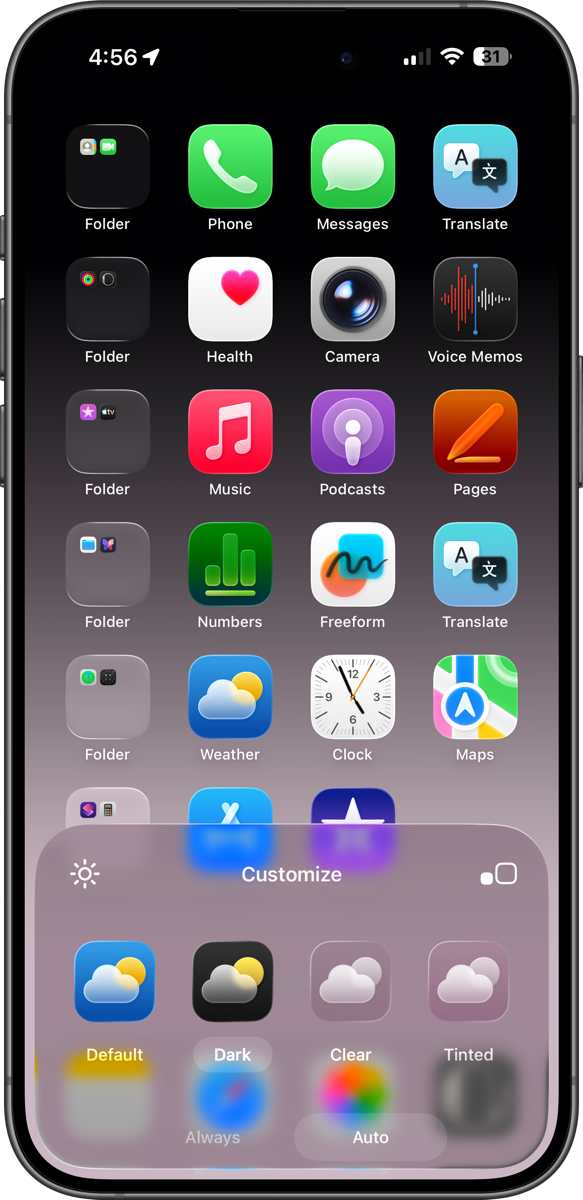
This behavior is similar to iOS 26.0 beta 1. While it’s becoming more confusing, it does feel like they’re trying to gradually organize things. Just thinking about redesigning such a complex UI to make it more understandable is enough to make one feel overwhelmed.
Additionally, on the SE, the Liquid Glass effect of the Dock has been fixed in place. Having it move slightly on this generation was probably putting undue strain on the system.
For changes to Hide Dock Wallpapers settings, see Notes.
Additionally, on the SE, the Liquid Glass effect of the Dock has been fixed in place. Having it move slightly on this generation was probably putting undue strain on the system.
For changes to Hide Dock Wallpapers settings, see Notes.


